 YouTube Dislike Counter
 What Is a YouTube Dislike Counter?
A YouTube dislike counter is any tool that puts back the number YouTube stopped showing in November 2021. That is the whole idea, but the tools differ enough in how they get the number that it is worth knowing which kind you are using before you trust what it says.
What the counter is actually counting
YouTube never removed the dislike button. Press it and your vote still lands in the uploader’s analytics. What went away was the public total that used to sit beside the like count, and a month later the dislikeCount field in the Data API was made private as well — the full sequence is in why YouTube removed the dislike count.
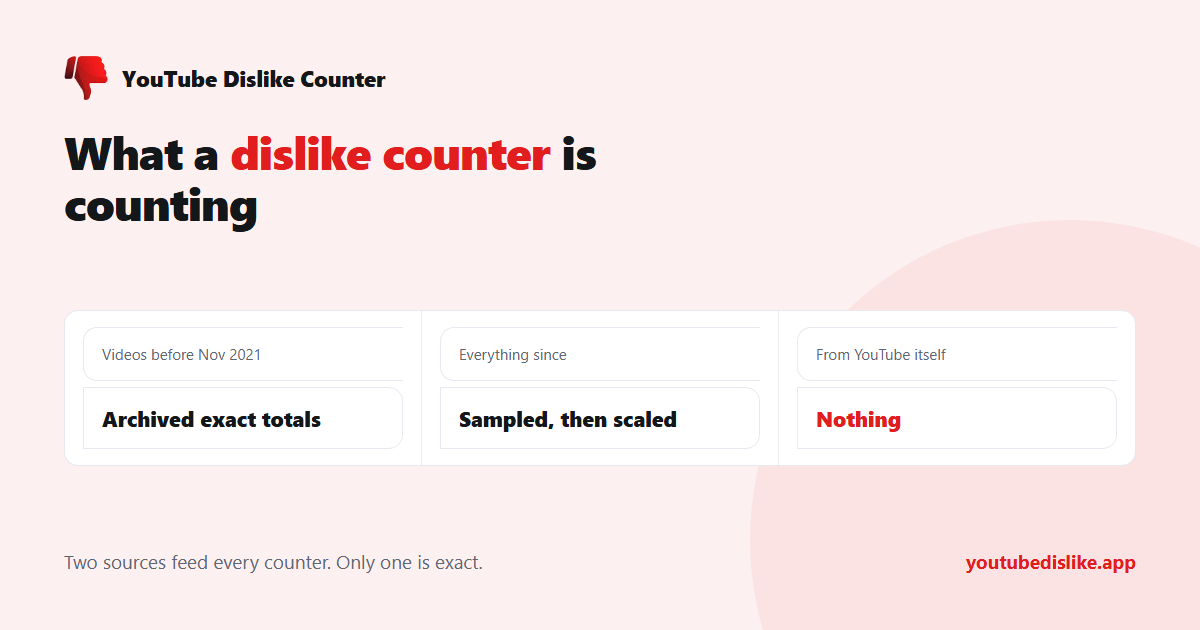
So a dislike counter cannot ask YouTube for the number. It has to get it somewhere else, and there are only two places to get it:
| Source | Covers | How exact |
|---|---|---|
| Archived public totals | Videos that existed before late 2021 | Exact — these were YouTube’s own published figures |
| Votes sampled from tool users | Newer videos, and votes cast since the change | Estimated — a sample scaled up |
Extension or website?
Counters come in two shapes and they are not competing — they solve different halves of the problem. (The side-by-side version is dislike checker vs dislike counter.)
An extension rewrites the YouTube page as you browse, so the number reappears in its old position next to the like button, on every video, without you doing anything. That is the version most people want, and it is what the YouTube dislike counter on this site does across Chrome, Edge and Firefox.
A web tool takes a video link and returns the count in a page. Slower per video, but it needs no installation, which makes it the only option on an iPhone or a managed work machine, and the simplest one on any phone. Ours is the dislike checker.
What a good counter should tell you
- The like count as well as the dislike count. A dislike number alone is close to meaningless — 4,000 dislikes is catastrophic on a video with 5,000 likes and unremarkable on one with two million.
- Nothing at all when it has no data. A counter that shows “0 dislikes” for a video it has never seen is not reporting zero, it is reporting ignorance. That distinction matters, and it is why our tools stay blank instead.
- No account access. Reading a public statistic about a public video requires no sign-in. Anything asking you to log in with Google is after the account.
How often the number changes
A counter is not reading a live feed. Each video’s figure is refreshed on a schedule, and between refreshes you are seeing a stored value — which is fine for a five-year-old tutorial and misleading for something posted this morning.
The practical effects are worth knowing. A video that is currently going viral will read low, because the stored figure predates the surge. A video nobody is watching will read the same for weeks, because there is nothing new to record. And immediately after you cast your own dislike, the displayed total will usually not move, since your vote joins the next refresh rather than the current view.
None of this matters for the question people actually ask a counter — is this video worth watching — but it explains the small discrepancies that otherwise look like bugs. For how close the figures get by video age, see are YouTube dislike counts accurate?
Why counters disagree with each other
Run the same video through two different counters and the figures will rarely match to the digit. That is expected rather than alarming: each tool has a different archive, a different user base feeding it votes, and a different refresh schedule. Ours updates a video’s figure roughly once a day, so a video going viral right now will read slightly behind reality.
Treat the ratio as the signal and the exact number as an approximation. If two counters tell you a tutorial is heavily disliked, it is heavily disliked, whichever one is closer.
Frequently asked questions
Is a dislike counter allowed under YouTube’s terms?
Yes. These tools read public information about public videos and do not modify YouTube or touch your account.
Does the counter work on Shorts?
The extension does. Shorts use a different player layout, which is why some older counters stopped working there — see YouTube dislikes on Shorts.
Can I see the count without installing anything?
Yes — paste the video link into the dislike checker.
Why does the number sometimes look too round?
Large figures are estimates built from a sample, so they land on round-ish values. Smaller archived counts are exact.
+ Chrome + Edge + Firefox YouTube Dislike Checker →
YouTube is a trademark of Google LLC. This website and the extension are independent projects and are not affiliated with, endorsed by, or sponsored by Google LLC or YouTube. The trademark is used only to describe compatibility.